


Coda W Setup Guide: Initial Speaker Setup

The KEF Coda W is a complete, all-in-one HiFi system, engineered to deliver our signature high-fidelity sound with a simple setup. This guide covers every step to unlocking its full potential, from optimal placement to connecting all your devices.
Whether you're setting up a turntable, connecting to your TV, or streaming from a computer, you'll find everything you need to experience the rich, immersive performance Coda W was designed to deliver.
Unbox & Connect
Unbox your Coda W and connect it effortlessly to your favourite devices. Experience how easy it is to enjoy rich, immersive sound in no time.
Everything in its right place
Before you start setting up, our Vice President of Technology Research & Development, Dr Jack Oclee-Brown, has two tips to share:
- Remember that sound has spatial qualities. It creates a virtual stage, so be sure to place your speakers somewhere unobstructed.
- Keep it in front of you, roughly at ear level. When it comes to sound, first impressions really do count.
01. Unbox your Coda W Speaker
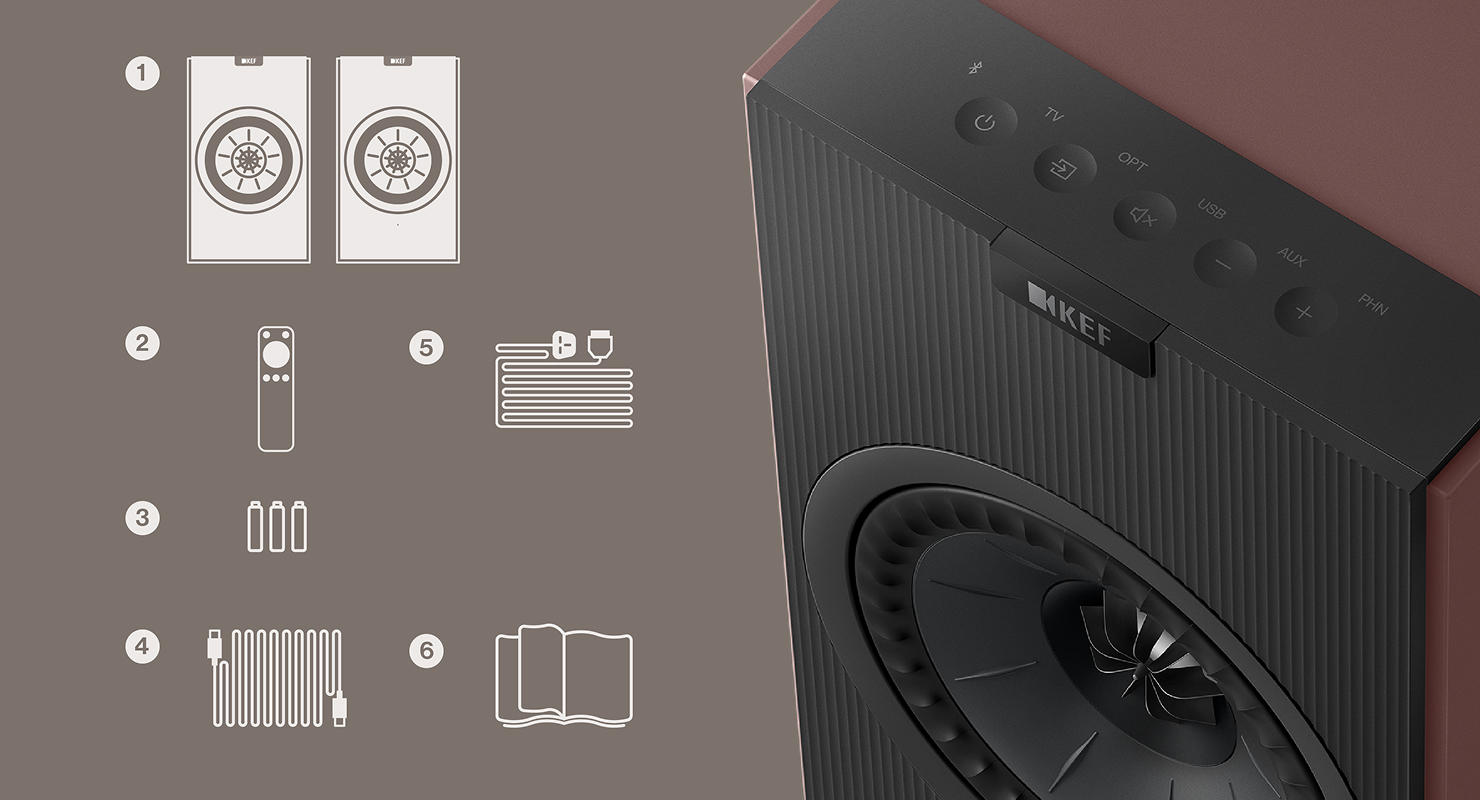
Start unboxing your Coda W by carefully opening the packaging. Included in your Coda W packaging, you will find:
- A pair of Coda W
- Remote control
- Interspeaker cable
- Power cable
- 2 x AAA batteries
- Printed materials (Quick Start Guide, warranty & safety information, and cleaning guide)
02. How to Position Your Coda W Speaker
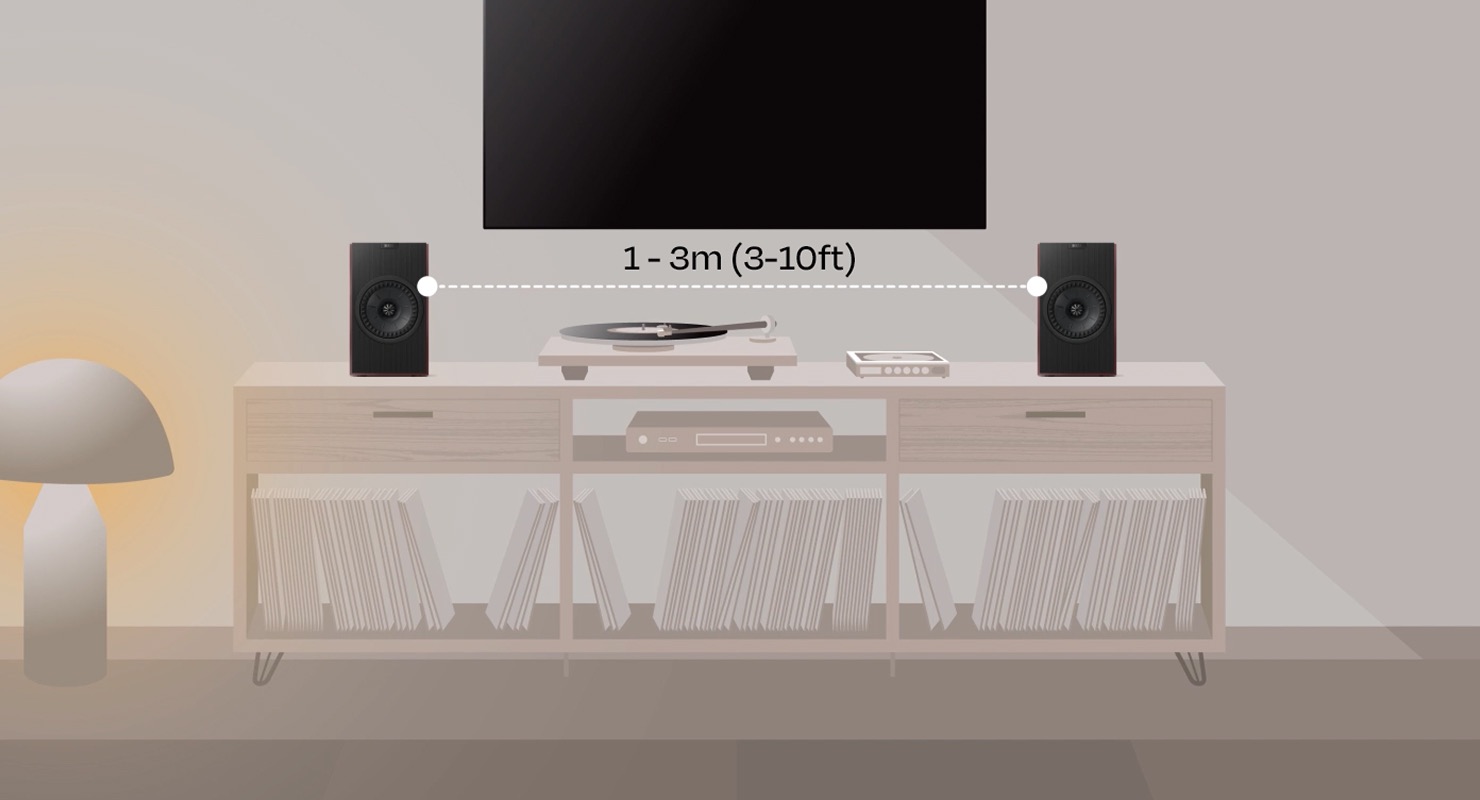
For optimal performance, position your speakers 1 to 3 metres apart. This will enhance your listening experience and allow the sound to fully resonate.
03. How to Connect Your Coda W Speaker
Powering Up:
- Connect the Primary Speaker to the Secondary Speaker using the interspeaker cable via the connection ports (T).
- Insert the power cable into the AC power input (A) of the Primary Speaker and plug it into a power socket.
- Set the power switch (“IO”) to the “I” (ON) position on the Primary Speaker.
- The power button will illuminate, indicating that Coda W is in Standby mode.
Enhance Your Experience / Get More from Your Coda W
Download the KEF Connect app from your mobile device’s app store to unlock the latest features. The app allows you to select EQ presets that match your taste, manage speaker settings, update firmware, and control your speakers from a single, intuitive interface.
Register Your Coda W
Register your Coda W for additional benefits. Coda W includes a 2-year standard warranty, with an option to extend to 3 years at no extra cost for myKEF members when they register their product. It’s part of our commitment to quality and long-term reliability, so your sound experience stays worry-free for years to come.


